



This help article walks you through setting your withdrawal date for rent deposits in MagicDoor.
Inside, you’ll find:
- Breaks down how withdrawal timing affects rent deposits and owner payouts in MagicDoor.
- Outlines when property managers should set their withdrawal date to avoid double-processing holds.
- Explains how distribution schedules determine ideal withdrawal timing.
- Highlights the flexibility self-managing landlords have in scheduling multiple withdrawals.
- Provides examples of date setups to keep cash flow and owner payments aligned.
Use this guide as a reference when aligning withdrawal dates with your distribution schedule to maintain seamless accounting operations.
Step 1: Understand How Timing Impacts Property Management
If you manage properties for owners, timing is everything.
Your main goal should be to prevent a double-processing delay, a situation where money is held twice by the banking network, slowing your payouts.
Step 2: Determine Your Owner Distribution Schedule
Identify the exact date you process owner distributions (for example, the 10th of each month).
This distribution date determines when you should initiate the withdrawal of your own funds to keep everything aligned.
Property Managers Must Set the Withdrawal Date After Distributions
You should never have rent hitting your account before processing owner distributions.
If rent arrives too early, Plaid will apply two separate holds, once when money transfers in, and again when you send owner payouts, creating an unnecessary double delay.
To avoid this:
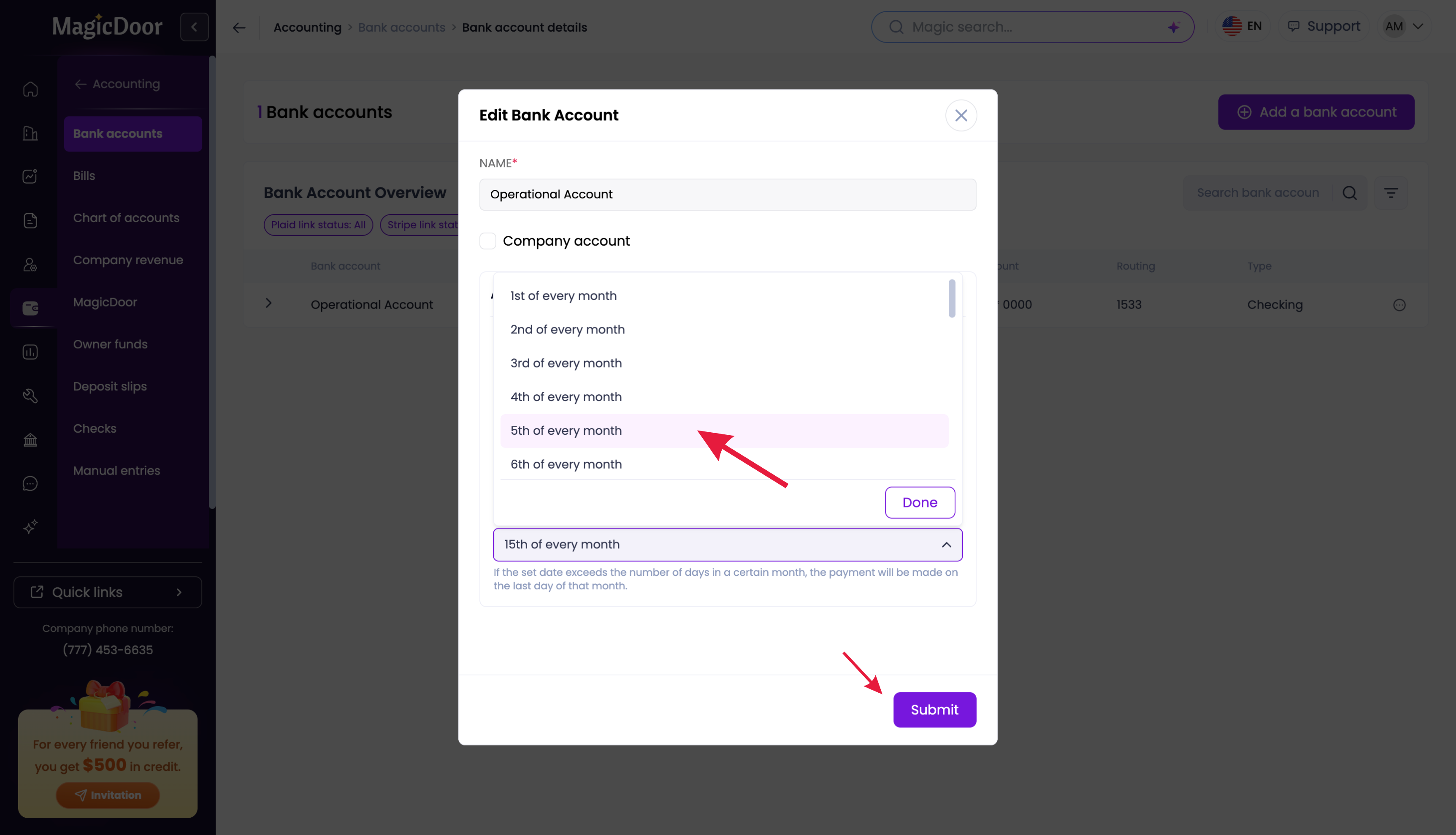
- Set your withdrawal date for any time after your owner distribution date.
- For example, if you initiate owner payments on the 10th, set your withdrawal date for the 12th or 14th.
This ensures owner payments are processed first, and your deposits are transferred later.
Self-Managing Landlords Can Choose for Maximum Flexibility
If you’re a self-managing landlord, you have full flexibility over when your rent deposits are pulled.
You can choose any schedule that fits your cash flow, whether that’s a single date each month or multiple smaller transfers.
Examples:
- Multiple withdrawals on the 1st, 5th, 10th, and 14th
- A single monthly transfer aligned with your own expense cycle
This gives independent landlords full control over when and how rent money moves into their accounts.
Need More Help?
If you have questions, our support team is always here to assist.
👉 Contact us anytime at support@magicdoor.com